Is Temperature Screening Effective at Detecting Coronavirus?
“The new normal.” We’ve all heard this term thrown around lately. But what does it mean? Right now, it seems like dishonest companies want this new normal to include accepting lies and misinformation as consumers, just because we’re nervous about being in a pandemic. In this article, I will expose three myths about thermal camera temperature screening devices and why so many of them on the market are not accurate.
To understand how temperature screening devices work with thermal cameras, we first need to know a little bit abouthow thermal cameras detect temperature. Thermal cameras detect the temperature of people and objects by recognizing levels of infrared light. Even though the human eye can’t see the infrared light, special cameras “thermal cameras” can. Inside each thermal camera are pixels that capture the infrared radiation emitted from an object. Every object produces infrared radiation and the hotter an object is, the more radiation it produces.
With a better understanding of thermal cameras and they work, we can start exposing the biggest lies surrounding the world of temperature screening devices.
Myth #1- Accuracy Can Be Found Anywhere
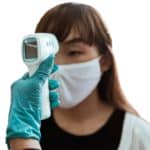
Generally, temperature screening devices attempt to pull their temperature from the forehead. On the surface, this idea seems to make sense. It’s a relatively large target area, (some bigger than others if you know what I mean), and it’s easy for a computer to recognize where a forehead is. With that said, the forehead a terrible location for a temperature screening device to scan. Why?
Skin temperature, especially on the forehead, fluctuates significantly throughout the day based on an individual’s activity. Imagine you’re late for work. To make up time, you start to jog from the parking lot to the office building. When you get to the lobby, you’ve probably burnt some calories and broke a sweat. Now you’re standing in a line, ready to get your temperature taken from a temperature screening device and you get a reading of 102.1°. You feel fine, so what do you do? Do you check in to the local emergency room? Do you try to work from home for the day? You decide to sit down, cool off, and eventually get screened again. After sitting for 10-minutes to cool off, you get screened again and have a safe temperature of 98.1°. This means your initial test was just a false positive. False positives are extremely common when screenings take temperatures from the forehead. The scary thing is, false negatives (someone has an elevated temperature but doesn’t show it) are also common when the forehead is used to take temperatures. The only way for a temperature screening device to get an accurate reading is by taking temperatures from the inner canthus (inner eye area) of an individual. This temperature is closer to a person’s actual body temperature and does not fluctuate the way forehead skin can. If the temperature screening device your company is using doesn’t take temperatures from the inner part of the eye, it’s likely ineffective and putting everyone at risk.
Myth #2- It’s Possible to Screen Multiple People at Once
Earlier in the article, we discussed how thermal cameras work and that knowledge is pertinent to understanding why pixelation matters when checking a temperature. The more focused a camera can be on a specific area, the more accurate it is. You will get added accuracy from 1,000 pixels focused on 1” of an area than you will be if those same 1,000 pixels focused on a 2” area. The farther away a subject is from the thermal camera, the larger the focusing area is, thus giving it a less accurate reading.
A temperature screening device cannot effectively scan multiple people or any person that does not stand still for a brief moment. The pixels aren’t able to focus on a specific area long enough. Any screening device that claims otherwise is going to be consistently inaccurate.
Myth #3- Thermal Cameras Are Consistently Accurate
When dealing with human body temperature, small variations have big consequences. It’s extremely important to keep temperature screening to a small and controlled environment to ensure consistent accuracy. The best way to do this is by maintaining the temperature screening device indoors, in a temperature-stabilized facility. Another great way to keep temperature screening devices accurate is by using a reference emitter or what’s known as a “black body calibration.”
A reference emitter is a device that “communicates” with a thermal camera by setting a constant temperature of an area to use as a reference point. This reference point creates an added layer of accuracy by relaying any environmental fluctuations in temperature that could otherwise cause an inaccurate temperature reading. Without a reference point, the accuracy of a thermal camera decreases dramatically, significantly contributing to increased false positive and false negative tests. Accuracy is the most important aspect of a temperature screening device and without a controlled environment or reference point, your temperature screening device is little more than a feel-good placebo.
Adequate Covid-19 Temperature Screening Solutions
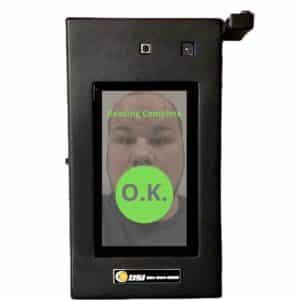
Pandemics tend to scare a lot of people. It’s unfortunate, but many companies try to get consumers to buy faulty products using this fear as a motivator. No temperature screening device can diagnose. Only doctors can fully determine if you have coronavirus. Instead, accurate temperature screening devices should be used as a barrier to protect your businesses from the possibility of being exposed. So, if you are in the market for a temperature screening device, I hope this article gave you clarity on what to look for when purchasing a temperature screening device. Protecting your business and your employees is important to you. That is why you need to select the right temperature screening device for your business. You need something more than just fabricated deception. You need a device that works. If accuracy is important to you, check out one of the most accurate temperature screening kiosks on the market, right here!
5 Interesting Things You Didn’t Know About Security Cameras
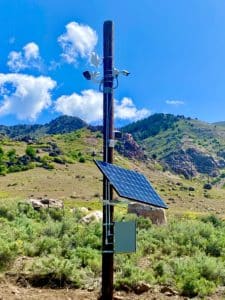
Security Camera On a Pole
The world of security cameras remains a mystery to many people. But with a growing market share, expected to reach $145 billion by 2027, we doubt it will remain a mystery in the future. We have compiled 5 interesting facts that we think are important for consumers to know about this growing industry.
We Like to Watch Rockets
Surprisingly, the first surveillance cameras have not used the way the majority of security cameras are used today. The first camera was used to watch rocket launches. That’s right, to watch rockets! That seems like a sweet gig if you ask me. I am sure most shopping mall loss prevention teams would rather watch rockets being launched than people shopping at a retail store. I know I would. Since the United States just launched astronauts into space for the first time in 10 years, this fact is slightly more important today than it did even a month ago. As an office, we gathered around to watch the initial rocket launch (which was postponed for bad weather) on YouTube. And all that was possible thanks to the very first cameras used to watch rocket launches way back in Germany in 1942.
Better Picture, Better Quality
In 1996, Axis Communications launched the first IP or Internet Protocol surveillance camera. Why is this important? IP surveillance cameras changed security systems significantly. Suddenly businesses were able to get significantly better image quality, view more area with fewer cameras, and view cameras remotely.
With IP video surveillance, the image is sent over the internet. This allowed for more data (bigger, better images) to be recorded and sent to viewing stations. Since it was over the internet, these viewing stations could be halfway across the world or in the next room over. The switch to IP surveillance allowed the integration of computer software to analyze images and alert camera owners for suspicious movement, or grant employees access to the building based on facial recognition. The switch to Ip cameras is beneficial for so many reasons.
The Kingdom of Surveillance
Did you know that the United Kingdom uses roughly 25% of all surveillance cameras? That is millions of cameras for both private business and government entities. The vast majority of cameras are owned and operated by private businesses. The United Kingdom uses all of these cameras to monitor potential crime and terrorism and to keep the public safe. So, if you ever travel to the UK, it is more likely than not you are on camera every time you are in a public space. It is likely that at any moment while in London, you are on at least 3 different cameras at any given moment. It’s also estimated that inside the city of London, there is one camera for every 14 people. Now that’s a lot of cameras!
300 Times Per Day
Is there anything that you can do 300 times a day? Aside from breathing and, well, being on camera. That’s right. It’s estimated that the average American is on camera nearly 300 times a day. Some estimates go as low as 70 times a day but the New York Times released an article here, estimating that number to be 300 times a day. And when you take a second to think about it, it makes a lot of sense. Any time you drive, shop at a store, walk the halls of a school, you are on camera. Multiple cameras at a time even and that adds up quick. Next time this fact pops into your mind, take a second to look up, smile, and wave!
What Would We Do Without DVR?
Do you remember when DVR was introduced? It changed the way TV was watched forever. Before that, we had to program our VCR with our tapes in tow and hope we got everything connected the right way. Is it just me, or did it never seem to work? Even though there were significant issues with the VCR we need to appreciate it for what it was in the realm of technological advancements. The first videotape recorder or VTR was created in 1951, with poor quality. Since that moment they’ve gotten smaller, better, cheaper, and more effective. Today we have digital video recorders that can save almost 200 TB of data. That is nearly 60,000 VHS videotapes worth of footage!
The surveillance industry is growing and changing almost every day. It’s hard to stay up to date on trends and growth. Which is why I think it’s important to understand the past. Understand where surveillance and security cameras have been. It’s incredibly fascinating to see the incredible growth in such a short amount of time.
Are You Getting the Most Out of Your Visitor Management?
Are you? Since you’re here reading this, I think we know the answer. Deep down you know there is more to visitor management than printing out name tags for your visitors to wear around your business like they’re 4th graders on an educational field trip. There is. And you’ve come to the right place to discover exactly what the right visitor management system can do.
Visitor Management at Entrance of Business
What is Visitor Management?
Maybe you’re not 100% sure what visitor management is. That’s okay! Visitor management systems, also known as identity management systems or simply just identity management, is a software that helps businesses, schools, and hospitals keep track of visitors that come in and out of their buildings. I’m giving a basic description of visitor management because that’s all most businesses use their visitor management system for. The basics.
Tracking Time & Saving Money
If your facility is anything like ours, you probably see multiple visitors a day, most of them repeat visitors – contractors, most likely. When you have contractors on-site working, how do you keep track of their time for payroll, insurance coverage, or cost management? If it’s anything other than tracking them directly, clocking in for you, there is too much room for error, miscalculation, and dishonesty.
That’s why we took the basic function of a visitor management system – tracking visitors – and then added time tracking software. This convenient addition significantly decreases the likelihood of timecard fraud or other timekeeping errors. Our system is a bookkeeper’s dream come true. They can efficiently search time logs by date, individual, company, job title, or location. Also, our system is 100% cloud-based, meaning information can be accessed virtually anywhere, on any device, by any authorized user. With more accurate timekeeping, your business will save money through multiple channels.
The Best Visitor Management System
What is the best visitor management system? One that protects your business from intellectual property theft and regulatory fines. That’s why our visitor management system makes sure all your visitors are certified, licensed, and have signed your company’s non-disclosure agreement.
We make it easy to eliminate paper documents and maintain all the paperwork needed to keep your business running safely and efficiently. Using our visitor management system to manage all your documents means: easier search features, more organization, and fast retrieval (crucial for when a government inspector asks to see if a particular contractor has the proper licensing.) The best element of our document management feature is that when an inspector asks if a contractor is licensed, you’ll already know they are. If they weren’t, the visitor management system would’ve flagged them, alerting you that they are either uncertified or that their certification is expired. Stopping them from even accessing your facility and saving your business from safety violations and regulatory fines. Using our visitor management system with our document management software is essential to protecting your business from safety violations, governmental fines, and potential bad publicity.
Stopping the Spread
Since the start of the COVID-19 pandemic, we’re all more informed and have an enhanced nervousness about how disease and illness spread and how to combat them. As a company, something we hope endures after the pandemic is over is the notion that people need to stay home if they are sick. Because when a sick employee comes to work, they’re not only endangering other employees with infection but potentially threatening contamination of product. And in both instances, production drops or maybe even ceases, in a worst-case scenario. Screening people at the entrance of your business with a health check screening form limits the spread of illness inside your business as well as prevents the possibility of product contamination.
When a visitor or employee checks in at your visitor management kiosk that contains the health check screening form, they will be asked multiple questions regarding their overall health and well being that day. When a concerning answer arises, the user at the kiosk will be flagged and management will be notified of a potential risk. At that moment, you can decide if you want that employee or visitor to enter your business that day.
More Than Just a Visitor Management System
As you can see, DSI prides itself on finding solutions to your business needs. Our team sincerely enjoys innovating existing tools and creating more uses for them. Our visitor management system is a great example of this. Why should your visitor management system be limited to the traditional use of checking in guests and printing name tags? As a business owner or a manager, your goal is to make money for your business. Preserving your assets, organizing your documents, and decreasing your expenses are the best ways to do just that. Stop wasting money on an ordinary visitor management system and start making more money with a visitor management system that does more for your business than just print name tags. Give us a call today.